
Home
Shipper
Driver
Shipper
Driver
How To Use Qmove
FAQ
About us
Join Us
Egypt
United Arab Emirates
Turkey
Indonesia
 Turkey
Turkish
Türkçe
English
English
Simplified Chinese
简体中文
 English

How to Place an Order on Qmove

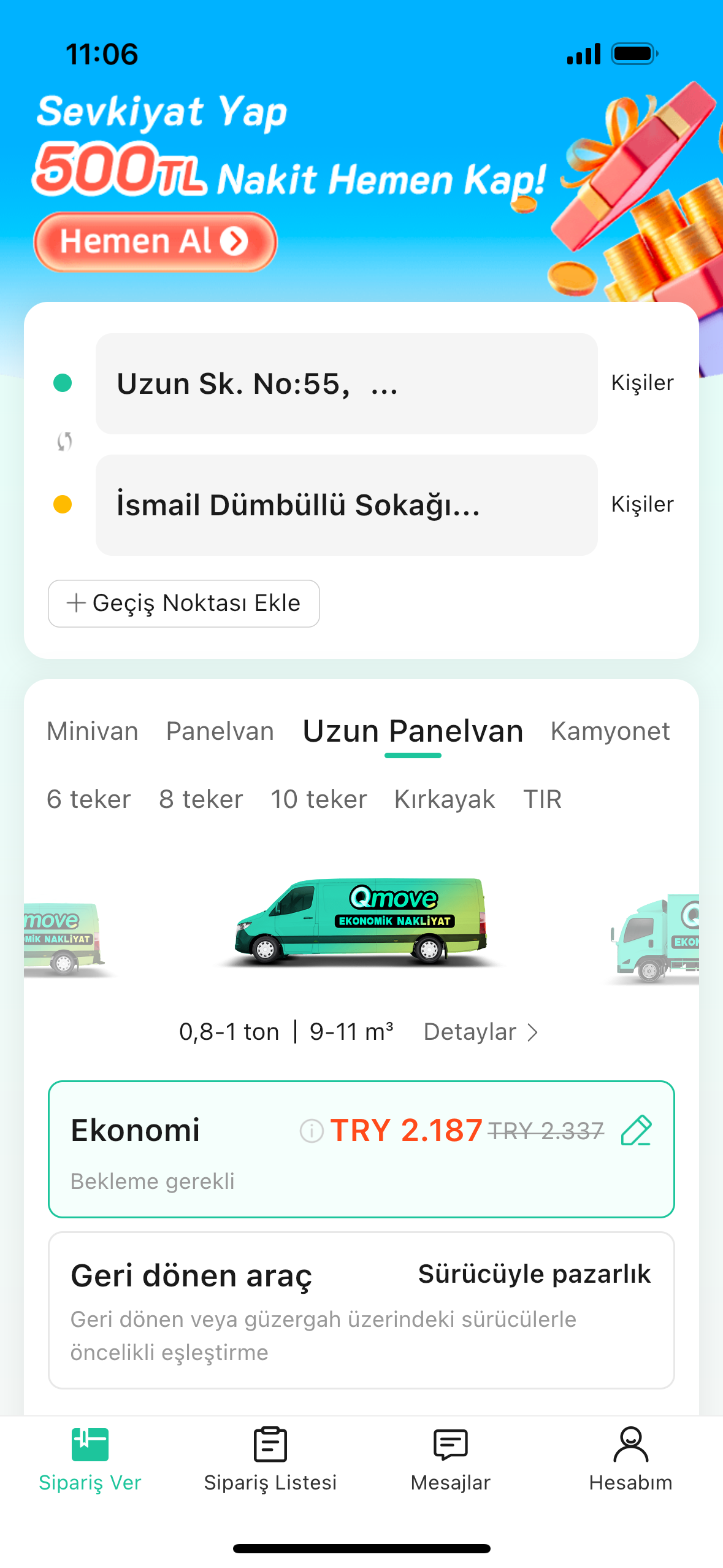
01
Enter Loading/Unloading Address & Select Vehicle
Wide range of vehicle types, supports multiple stops
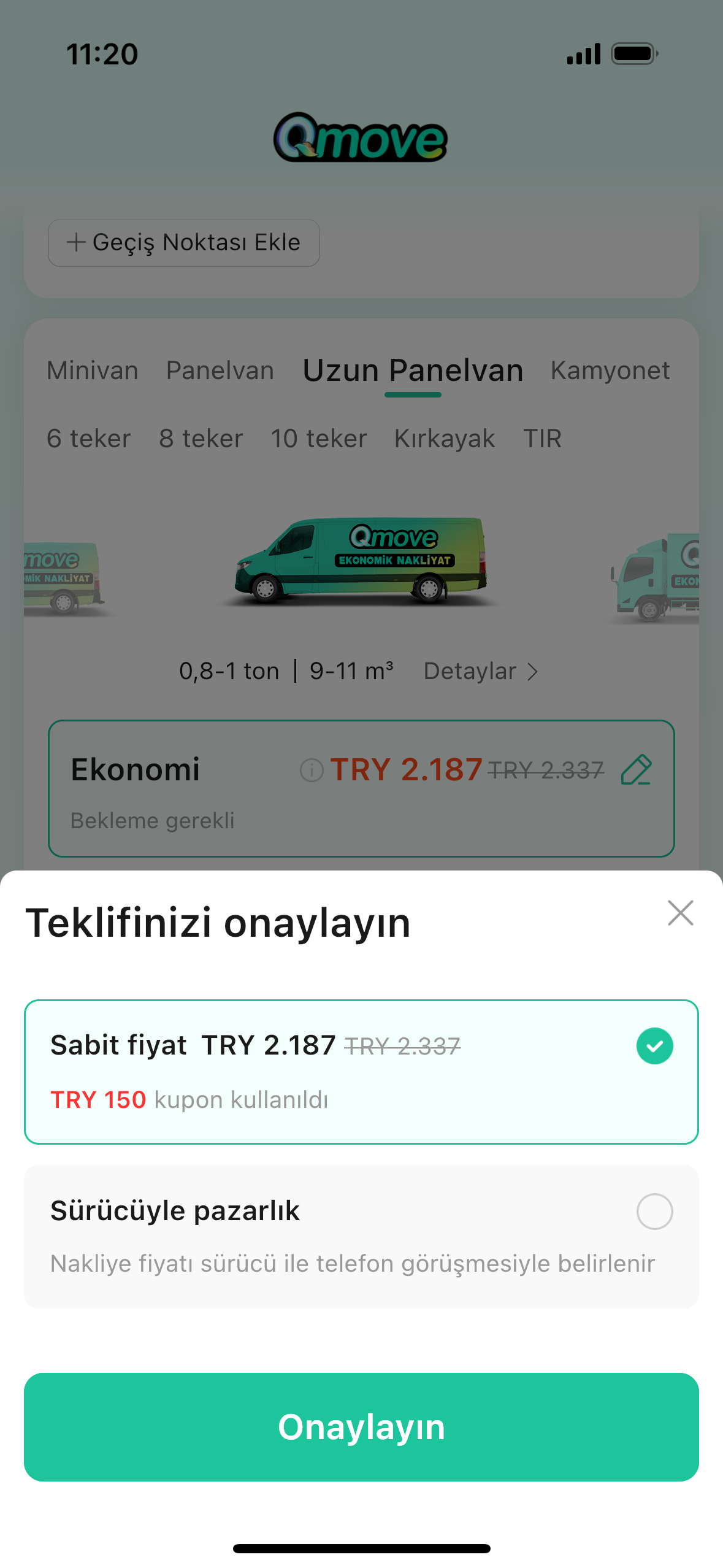
02
Choose your preferred Product Line and Bidding Mode
Economy / Express / Backhaul / Pooling; Negotiation / Fixed Price
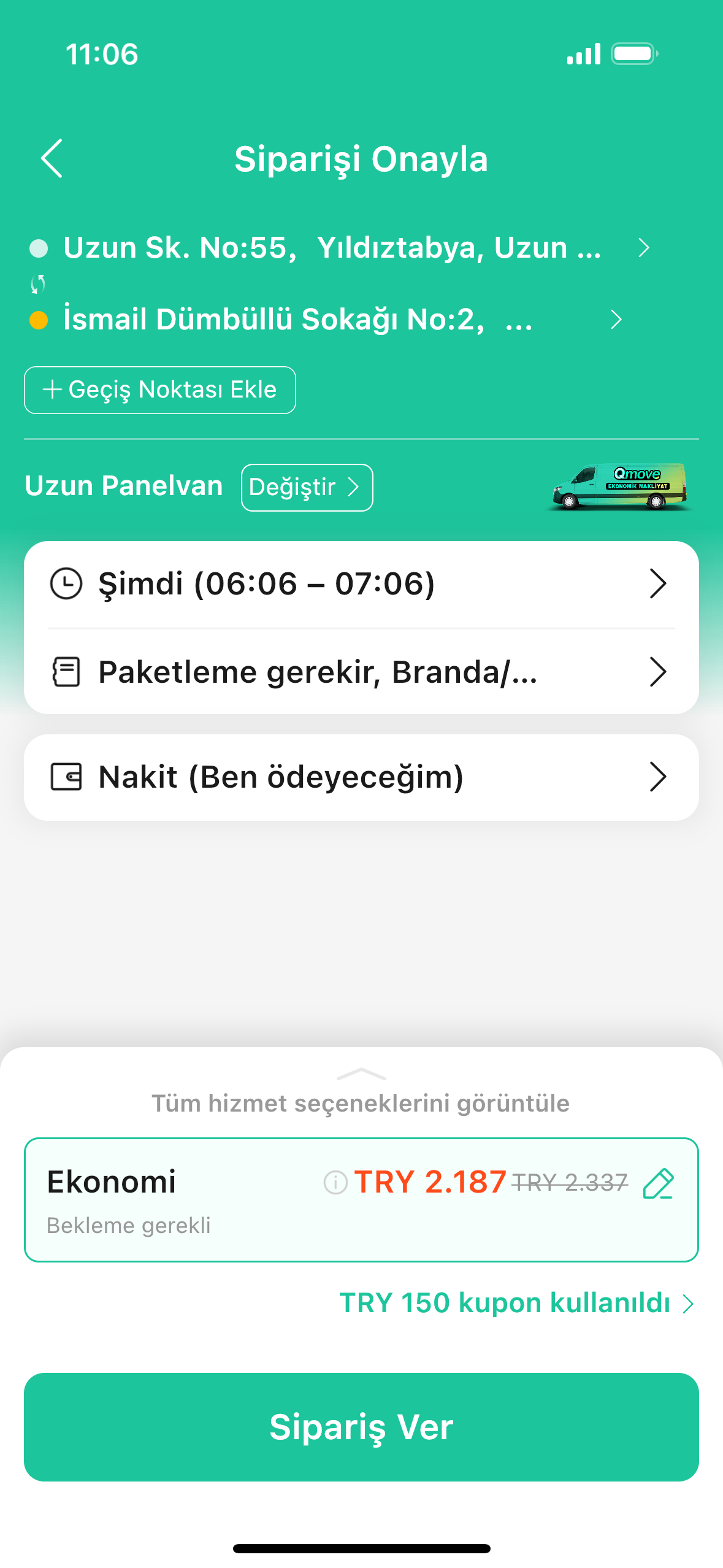
03
Fill in Cargo Details & Schedule Time
E.g.: 3000kg, 10m³, Tomorrow at 2:00 PM, Need moving service
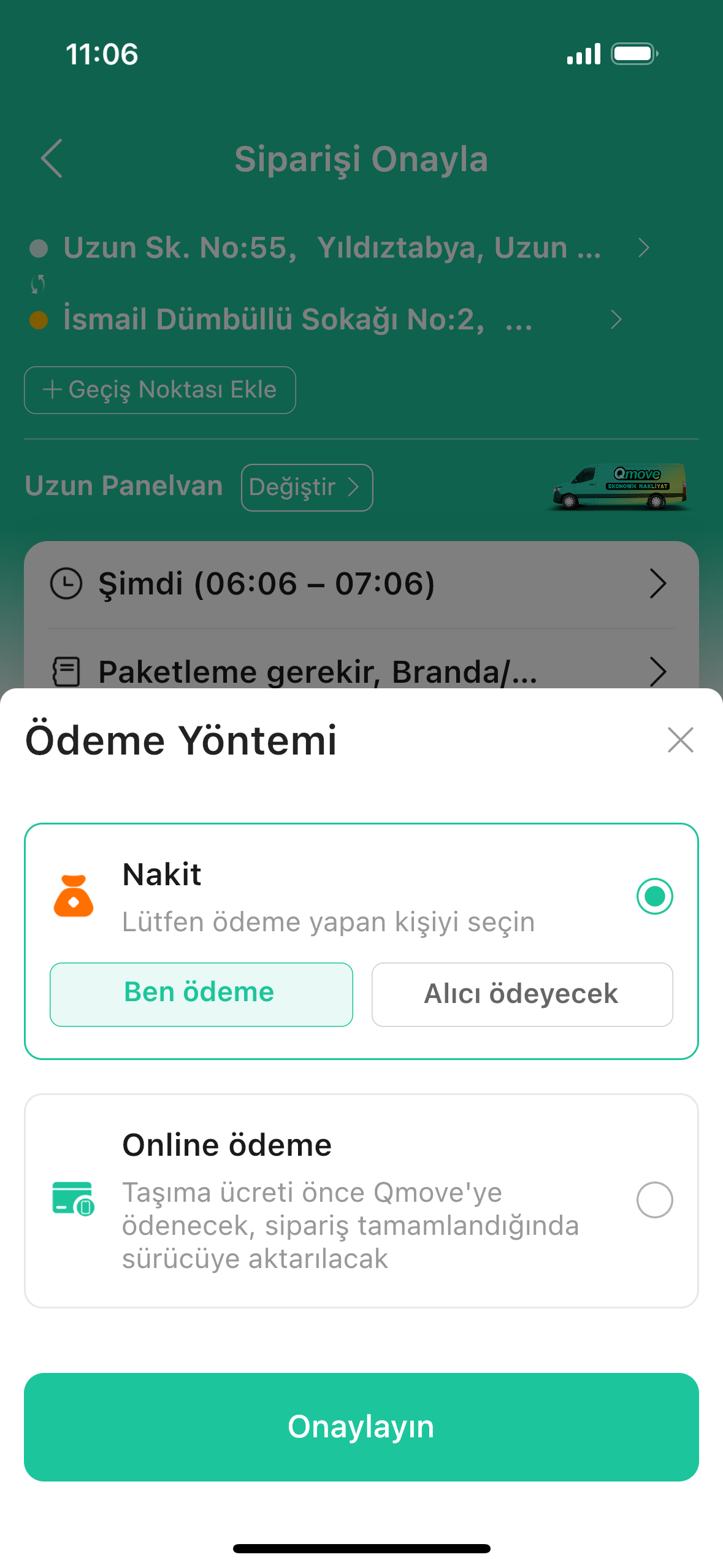
04
Choose Payment Method
Multiple payment options available, invoice support included
05
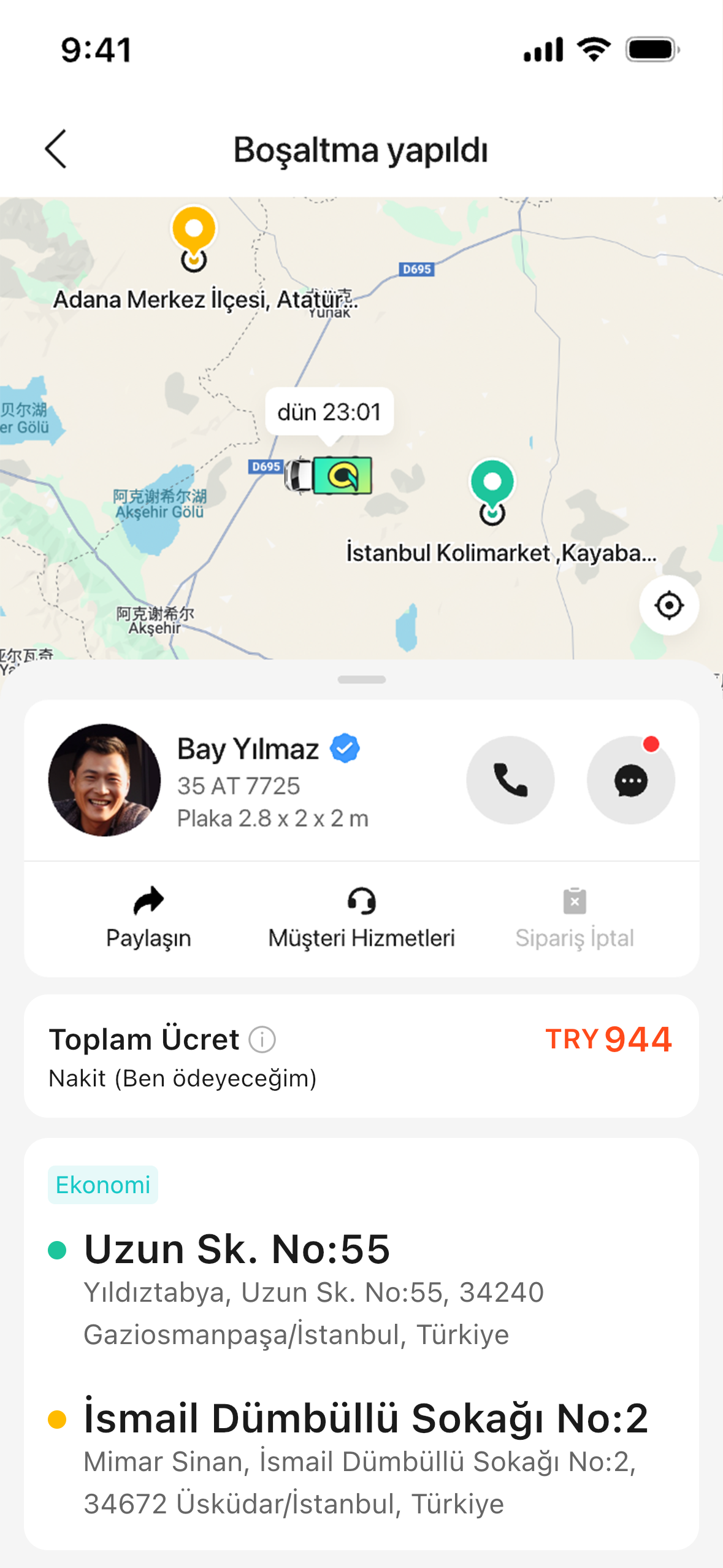
Track Order Status Anytime
Real-time driver location updates, 24/7 customer support, safety guaranteed
How to Place an Order on Qmove
01.Enter Loading/Unloading Address & Select Vehicle
Wide range of vehicle types, supports multiple stops
02.Choose your preferred Product Line and Bidding Mode
Economy / Express / Backhaul / Pooling; Negotiation / Fixed Price
03.Fill in Cargo Details & Schedule Time
E.g.: 3000kg, 10m³, Tomorrow at 2:00 PM, Need moving service
04.Choose Payment Method
Multiple payment options available, invoice support included
05.Track Order Status Anytime
Real-time driver location updates, 24/7 customer support, safety guaranteed

LEGAL
Privacy Policy
User Agreement
COMPANY
About us
Join Us
CONTACT
Whatsapp: +905015972483
Customer Service: Support@qmove.com
Business: Cooperate@qmove.com


© 2025 Qmove
LEGAL
Privacy Policy
User Agreement
COMPANY
About us
Join Us
CONTACT
Whatsapp: +905015972483
Customer Service: Support@qmove.com
Business: Cooperate@qmove.com
© 2025 Qmove